AI is most useful to me when it shortens the distance between a question and something the team can inspect. It helps me organize material, explore alternatives, and turn a direction into a working experience sooner.
That speed only matters if the work remains traceable. I keep source evidence intact, check outputs against what participants actually said, and make the final call based on user needs, business constraints, accessibility, and edge cases.
“I use AI to accelerate the work around the decision—not to make the decision for me.”
01
Use AI to find patterns, then return to the evidence
Research synthesis can involve dozens of quotes, survey responses, and observations. I use AI to help sort, compare, and challenge possible themes—but I do not accept a generated summary as a finding.
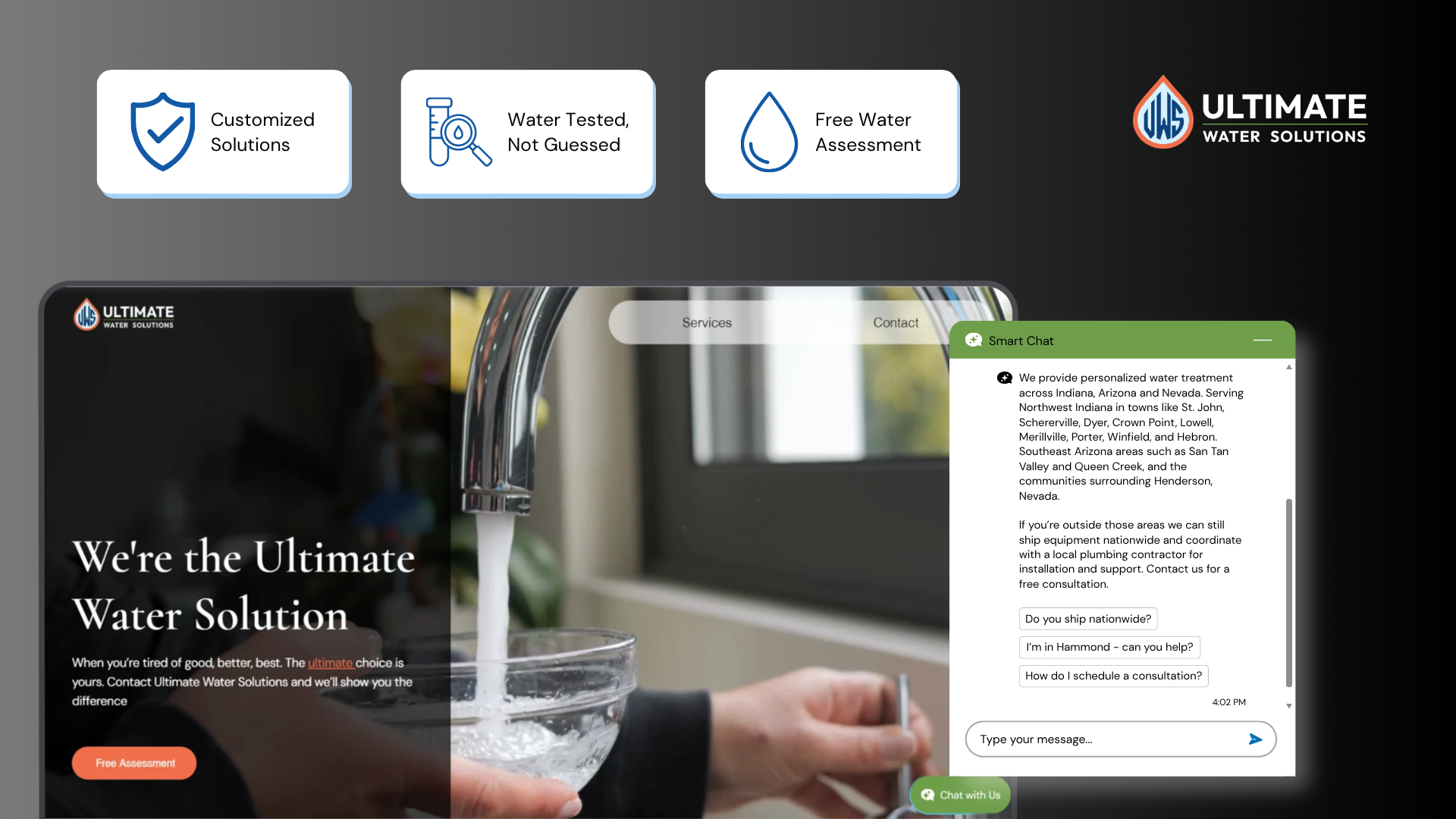
For Ultimate Water Solutions, the useful signal was hiding in recurring customer questions and a competitive audit. AI helped me cluster and challenge possible themes; I still verified every conclusion against what customers actually asked and what the audit showed, and I remove identifying or sensitive information before using any tool.
- 01
Prepare the material
I remove sensitive details and structure notes so every observation can still be traced to its source.
- 02
Use AI as a challenger
I ask for alternate groupings, contradictions, and gaps—not a polished answer to paste into a deck.
- 03
Verify manually
I return to quotes and counts, rename themes in plain language, and discard anything the evidence cannot support.
- 04
Translate with the team
Insights become needs and product questions through discussion, not a one-click output.
02
Explore more directions before committing
AI makes it cheaper to compare different structures, content hierarchies, and interaction ideas before polishing one. I can ask what a flow is assuming, generate edge cases to inspect, or turn a research-backed idea into several concrete directions for critique.
The value is not producing more screens. It is exposing weak assumptions earlier. For Ultimate Water Solutions, the design still had to answer the audit's core finding: lead with the homeowner's concern, explain in plain language, and make the path to contact obvious.
Faster exploration is only useful when every direction is judged against the same evidence.
03
Build coded prototypes people can actually react to
I use Lovable to turn designs into coded prototypes with real responsive behavior, working navigation, and realistic states. That changes the quality of feedback: teammates can use the experience on a phone instead of imagining motion, hierarchy, or responsiveness from static frames.
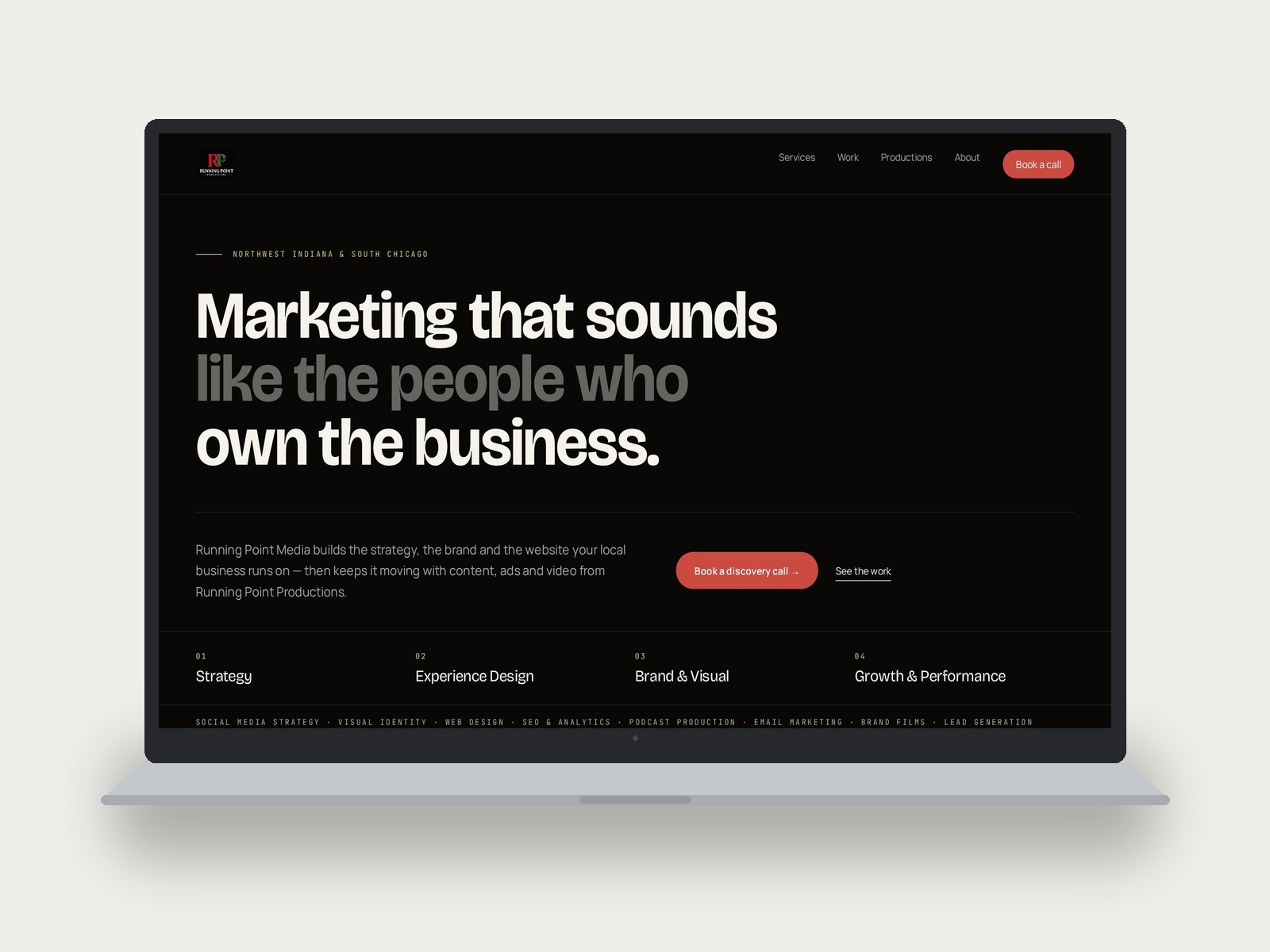
On Running Point Media, I used this workflow to move from research and a new visual system into a working React prototype. Reviews focused on the actual hierarchy and copy, and the prototype became the live site. AI accelerated production; I still directed the system, reviewed every state, and stayed with the outcome after launch.
- 01
Define before generating
I establish the problem, evidence, content hierarchy, visual system, and success criteria first.
- 02
Prototype the real behavior
I build responsive flows and states so review happens on the experience rather than a description of it.
- 03
Inspect what AI misses
I check accessibility, copy accuracy, edge cases, mobile behavior, and whether the implementation still serves the original decision.
- 04
Measure after launch
AI speed does not count as product impact. I look for evidence in usability and real behavior.
04
Keep clear boundaries around the tool
I do not put sensitive participant information into AI tools, treat generated content as research, or let a convincing interface substitute for usability evidence. I also do not assume generated code is accessible or complete because it runs.
My role is to decide when AI is appropriate, frame the task, inspect the result, and take responsibility for the final experience. The tool can increase my range and speed; accountability stays with me.
The takeaway
AI gives me leverage; evidence keeps the work honest
My workflow is faster because I can move between research, design, and a working prototype with less friction. It is stronger because I still slow down for the parts that require care: listening, interpretation, trade-offs, accessibility, and proof.